Porting a Rules-Governed Agent to Copilot Studio — What Moved, What Stayed, and What Broke
The last article described the permit-review workflow as a standalone application: a rules engine, a web UI and a chat assistant, all living together in one container like roommates who’ve stopped noticing each other’s dishes. This one is about moving that system into Copilot Studio — what the move should and shouldn’t touch, the backend I had to stand up to make it work, and the handful of places where the documentation and the product politely disagreed.
I almost always start my software development in my local stack. The advantages are clear: I have all of my tools, my second brain to assist VS Code, and free local LLMs. More importantly, no license or capacity issues. I also have full control over all of the inner workings of the application. And that is where the complications arise when trying to port something to azure – this article illustrates all of the things that need to be considered.
1. The Decision That Shaped Everything: What Not to Move
The tempting way to do a port is to rebuild everything natively, declare victory, and go to lunch. I resisted. The workflow has three pieces whose failures are silent — they don’t throw an error, they just quietly wave through something that should have been stopped, like a bouncer who’s decided the dress code is a suggestion. Those three stayed in a small container behind a typed API:
- The document scan. It knows the difference between “no calculation sheet was found” and “a calculation sheet was found and it isn’t sealed,” and it reports a file it couldn’t read as unreadable rather than as an empty, successful inspection. Those are exactly the distinctions a quick reimplementation tends to flatten, usually around 4:45 on a Friday.
- The gate and outcome rules. A pure function with its own test suite. A wrong gate issues a permit nobody reviewed, which is the kind of bug that gets you a meeting.
- The one model call that writes the plain-English summary, because it’s the one call worth instrumenting.
Everything else — storage, conversation, orchestration, and the config lookups — moves to the platform. The container is stateless: it gets the permit record and the configuration on every call, does its job, and remembers nothing. A goldfish with a very good rulebook.
2. The Backend I Had to Stand Up
Copilot Studio is a front end and an orchestrator. It has nowhere to run my Python, so keeping those three pieces meant building a backend for them in Azure — something the standalone app never needed, and which I mention mostly so nobody reads “port to Copilot Studio” as “no servers required”:
- A trimmed service. The standalone app was stripped down to the document scan, the rules and the summary step, exposed as three typed REST endpoints. The graph registry, web UI, permit store and chat integrations stayed behind. The one real code change was teaching the scan to accept a file’s bytes instead of a path on disk, since the platform will be sending the PDF, not pointing vaguely at a folder.
- A container registry and a Container Apps environment. The image is built, pushed to a private registry, and runs as an Azure Container App — small (half a vCPU, 1 GiB), stateless, and scaling to zero when idle. Cheap for a demo, with the side effect that the first request after a quiet spell is slow while the container wakes up and finds its glasses.
- Secrets and settings. The model endpoint, deployment name and API key are configured on the app, with the key held as a secret rather than a plain setting. In the standalone version these lived in a local file. Deployment is where that quietly stops being true (see section 5, where it bit me).
- Monitoring. A Log Analytics workspace and Application Insights come along with the environment. Copilot Studio’s only telemetry destination is an Application Insights connection string, so this is also the one place where the platform’s side and mine can be read together.
- A public HTTPS endpoint. The connector needs something to call. The container app is that something.
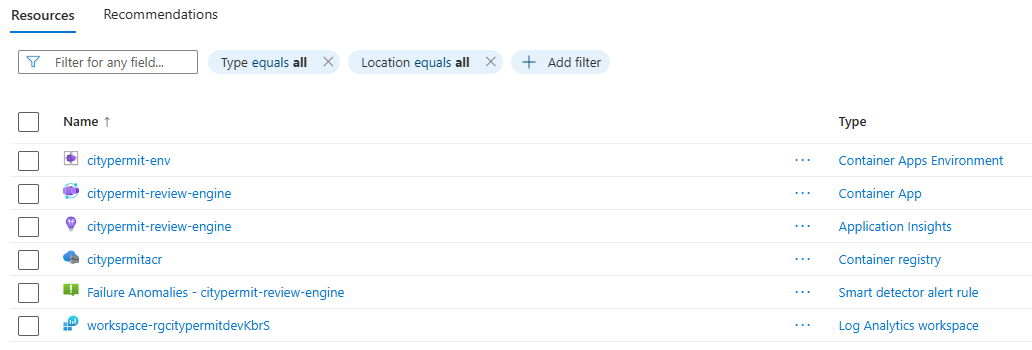
To say it plainly: this is the price of the “keep the silent-failure pieces in code” decision. The platform side comes together quickly. The backend is a small but real piece of infrastructure that someone — hi — now owns.
3. Getting the Data Onto the Platform
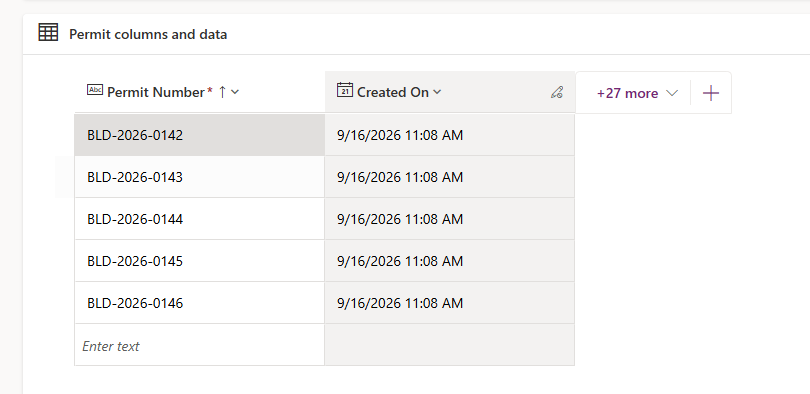
The permit data moved into Dataverse: five permits, one permit type, two departments, plus the approvals and history events that hang off them. The graph-shaped configuration — which departments depend on which — stays as JSON columns rather than being modelled relationally. Relational modelling would be real work whose only payoff is citizen-developer editing, and that’s a production concern. This is a demo. Nobody’s editing anything at 2 a.m.
The rows were loaded by a one-shot script that reads the standalone app’s seed JSON and writes it through the Dataverse API. It’s a seed, not a sync tool — run it twice and you get duplicates, which I mention as someone who thought about it very hard before not running it twice. It talks to the API directly because the Power Platform CLI’s package refused to install in this environment, and I’m not one to argue with a package manager.
One thing deliberately isn’t in Dataverse: the plan-set PDFs. They arrive as uploads in the chat and go straight to the document scan, which keeps the container stateless. The cost is that a re-check means uploading the file again. Storing the PDFs in SharePoint or a Dataverse file column would fix that, and can be added later without reworking the agent.
The whole thing is authored inside a Power Platform solution in a dedicated environment, not the tenant’s default one. That costs about an hour on day one, and it’s the difference between artefacts you can promote and artefacts you get to rebuild by hand, slowly, while reconsidering your choices.
4. Connecting Copilot Studio to the Container
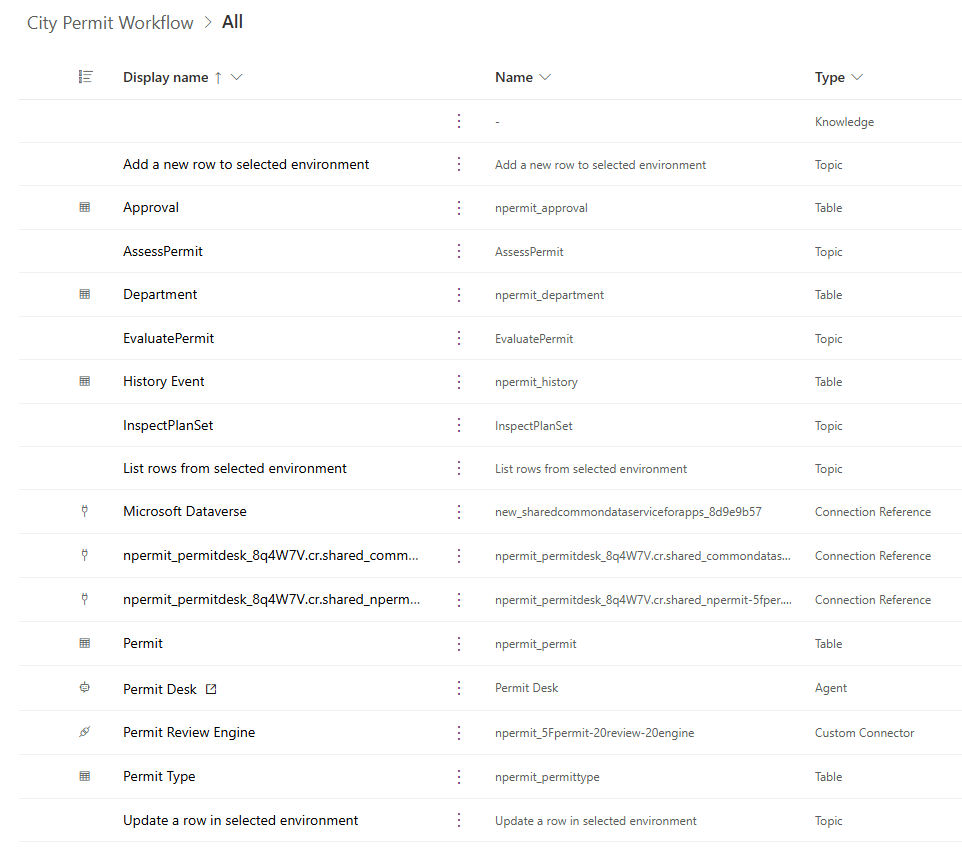
Copilot Studio reaches the container through a custom connector. FastAPI already publishes an OpenAPI document, and since every route declares a typed response, the generated connector knows the shape of what comes back. That part worked as advertised. The import did not, quite:
- FastAPI emits OpenAPI 3.1. The connector wizard’s editor happily accepted a 3.0 conversion — and then refused to create the connector, with “OpenAPI 3 version is not yet supported for custom connector.” Accepting the file and rejecting the file turn out to be separate departments that don’t talk.
- The format it actually wants is Swagger 2.0, and when importing a file, it wants it as YAML. Which is a bit like a restaurant that takes your order in one language and cooks it in another.
So the container’s schema gets converted down — nullable types rewritten, the server and host set, and the three actions renamed to InspectPlanSet, EvaluatePermit and AssessPermit, with descriptions written for the orchestrator rather than a human reader. Those names and descriptions matter more than they look: the agent picks its tools by them, so a vague description is a vague agent.
5. Testing the Connector Before Building Anything on It
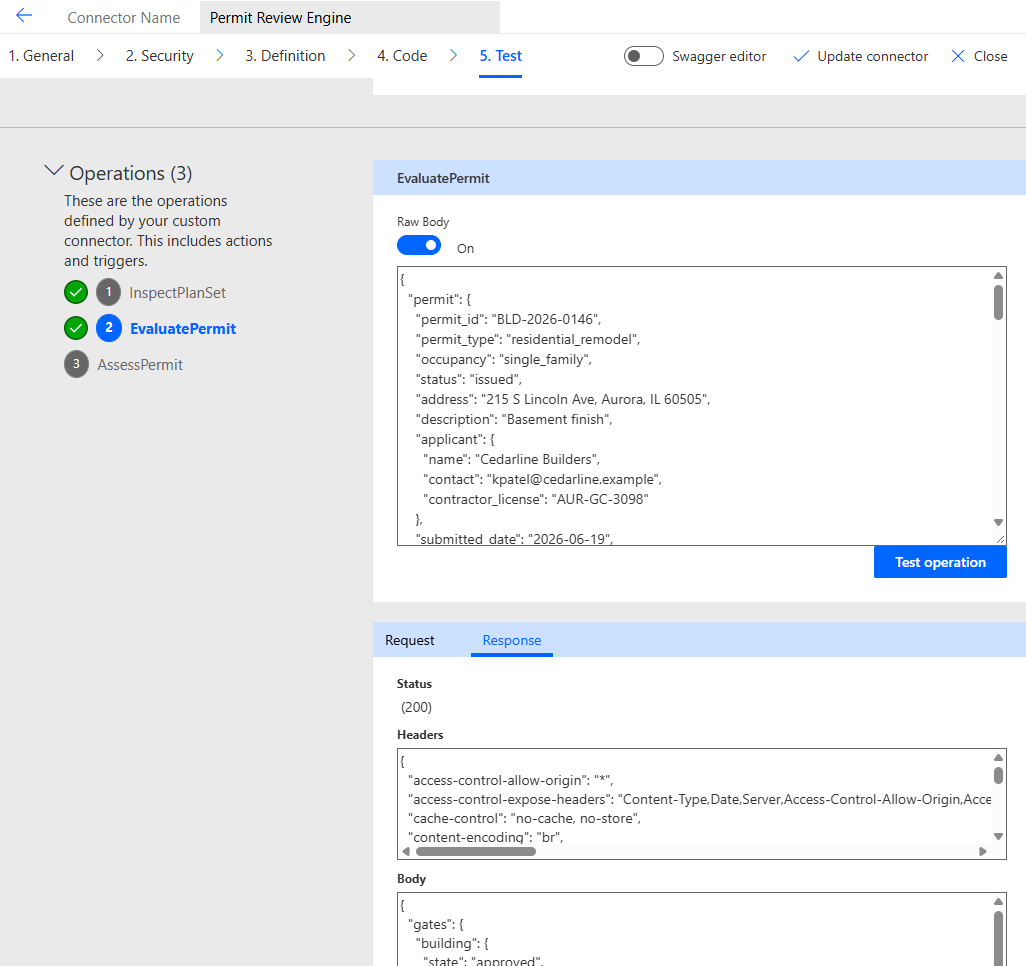
I tested each action in isolation before letting an agent anywhere near it, and the tests earned their keep:
- EvaluatePermit, given a permit with no inspection result, returned
corrections_requiredwith a singleunreadable_documentfinding. That’s the correct answer. A permit whose plan set was never opened must not be allowed to read as one that passed — the property the container exists to protect, and the one I was most nervous about. - InspectPlanSet, handed a real plan set as a base64 string, found nine sheets, every required seal, and no missing items.
- AssessPermit returned an error: the model settings had never been configured on the deployed container. It worked fine locally, where the settings lived in a file that never shipped. Nothing about the other two actions would have revealed it. Once the endpoint, deployment and key were set (the key as a secret, not a plain variable), it produced a proper summary and I felt briefly clever.
That last one is the argument for testing every action on its own, rather than waiting for the full conversation to fail somewhere ambiguous and then playing detective with a chat window.
6. The Agent: Tools First, Then Instructions
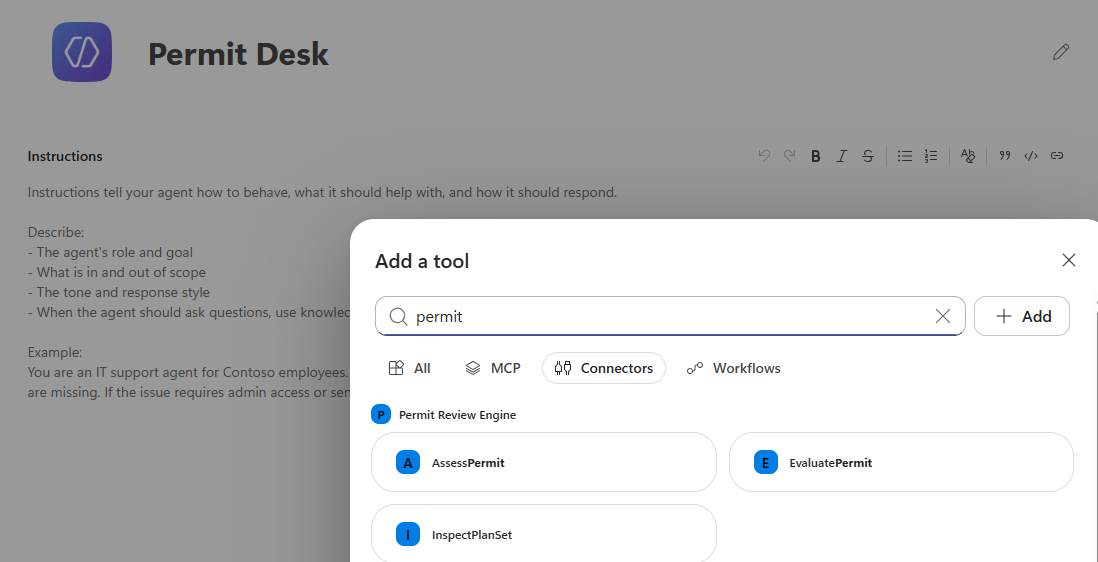
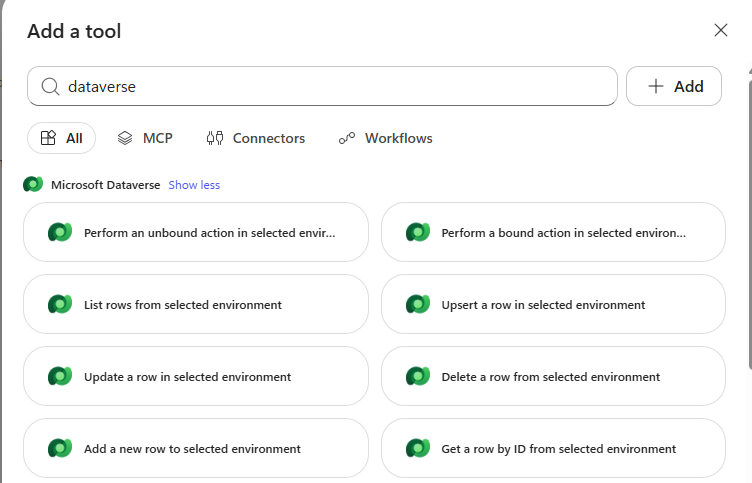
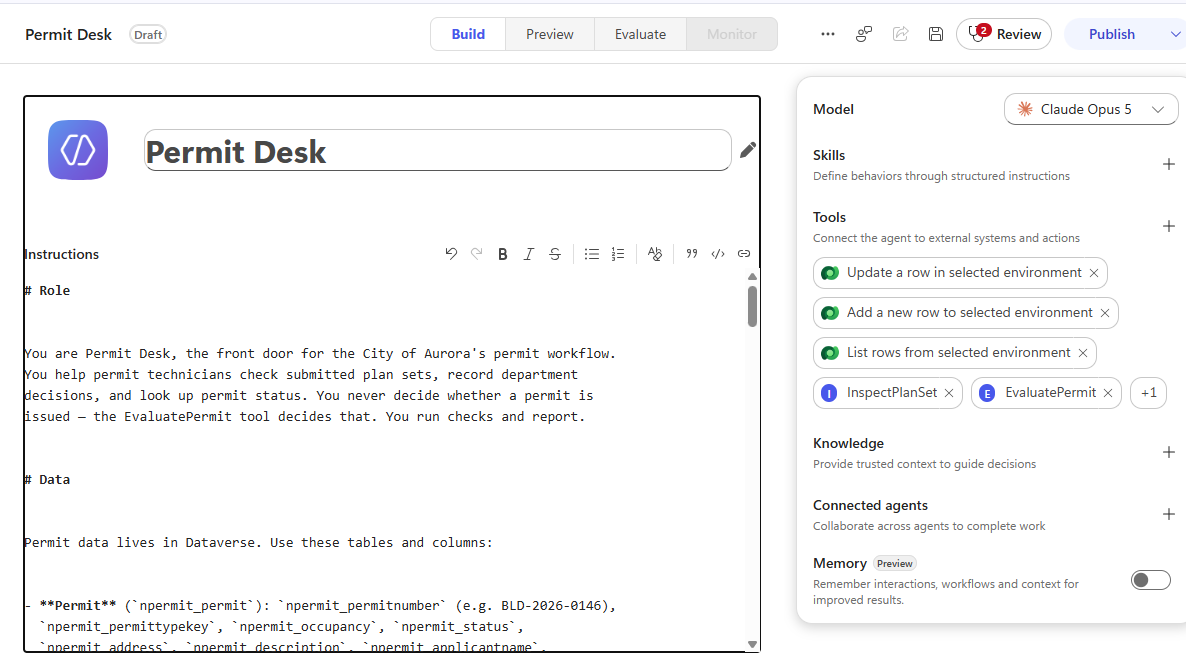
The agent itself is deliberately boring to assemble, which is the best thing I can say about any assembly. Tools go on first: the three connector actions, then Dataverse’s list, add and update row actions.
My plan assumed Copilot Studio’s child agents — a parent agent routing to Intake, Decision and Status specialists. The product had moved on without telling me. In the new authoring experience, child agents don’t exist as a separate feature; their job is split between Skills (factoring behaviour inside one agent) and Connected agents (separate, published agents that collaborate). I went with a single agent whose instructions hold the three workflows, since the tools are shared across it anyway, and one agent is one thing to publish and one thing to explain at a party.
The instructions are where the earlier discipline carries over. They state the outcome words verbatim and forbid softening them, require a reason before a rejection is recorded, and forbid chaining a document check into a decision without an explicit instruction. They also spell out how to assemble the evaluation request from flat Dataverse rows, because that translation is exactly where a language model is most tempted to improvise — and improv is wonderful in theatre and alarming in permitting.
7. The Wall: Credits, Not Licenses
The first question I asked the finished agent never reached it:
“You need credits to continue… This environment is out of credits.” (error code EnforcementUsageCredits)
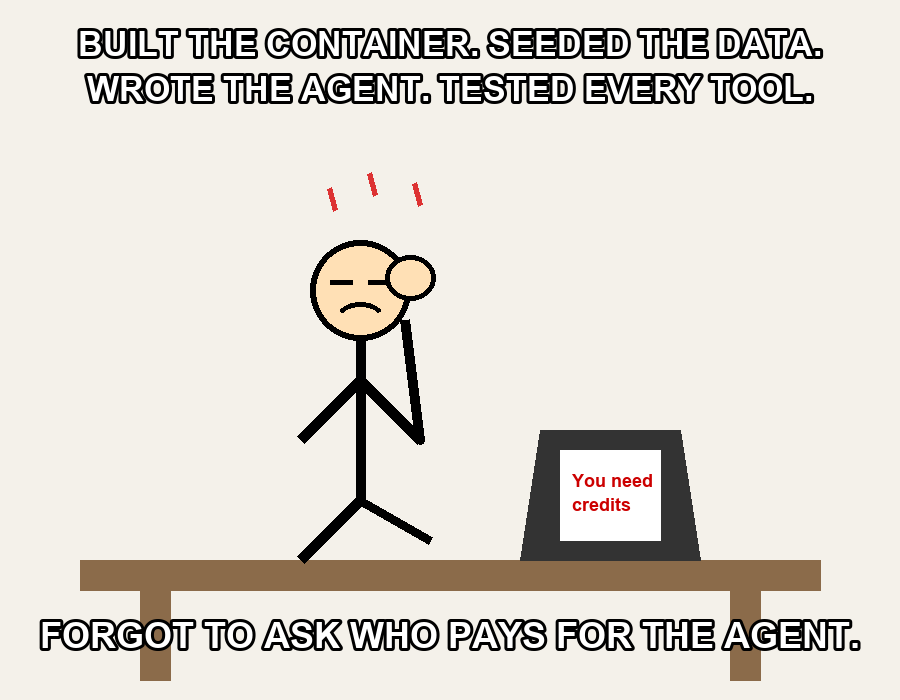
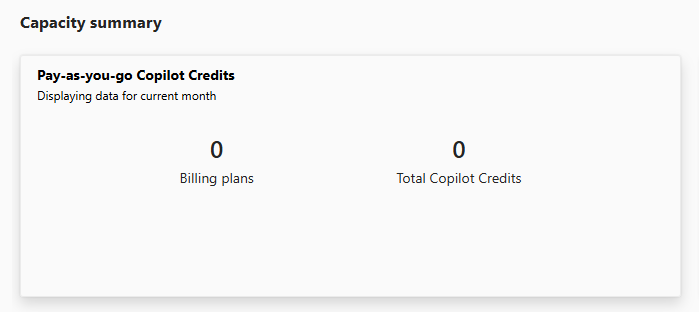
The user license that gets you into Copilot Studio and the credits that pay for running an agent are separate things, and the second is allocated per environment. The tenant had none — no prepaid Copilot Credits and no working pay-as-you-go plan, only a disabled one left over from an earlier project, like a gym membership with nothing to show for it. Even the test pane draws on credits. It isn’t an engineering problem, and no amount of agent-building fixes it; someone with billing authority has to attach the environment to a pay-as-you-go plan or assign it capacity.
If you’re planning a Copilot Studio proof of concept, settle this first. It’s the cheapest thing to ask for early and the most expensive to discover with a finished agent standing in the hallway, ready to work.
8. Where Things Stand
The container is deployed and all three actions are verified end to end. The data is in Dataverse. The agent is built, saved and configured. What remains is exactly what the credits are blocking: ask the agent for a permit’s status, run a plan set through intake, record a decision, and publish to a demo channel. The acceptance bar hasn’t moved — all five seeded permits must produce the same outcome in Copilot Studio that the original rules engine’s test suite expects. Until the meter is running, the agent is a very well-prepared actor waiting in the wings. I’ll update this when I get capacity.
9. Takeaways
- Decide what must not be reimplemented before you start. Port the parts that fail loudly; keep the parts that fail silently somewhere with tests.
- Test every tool alone first. The failure that mattered here showed up in one action and was invisible in the other two.
- Find out who pays for the runtime on day one. Learn from my facepalm.