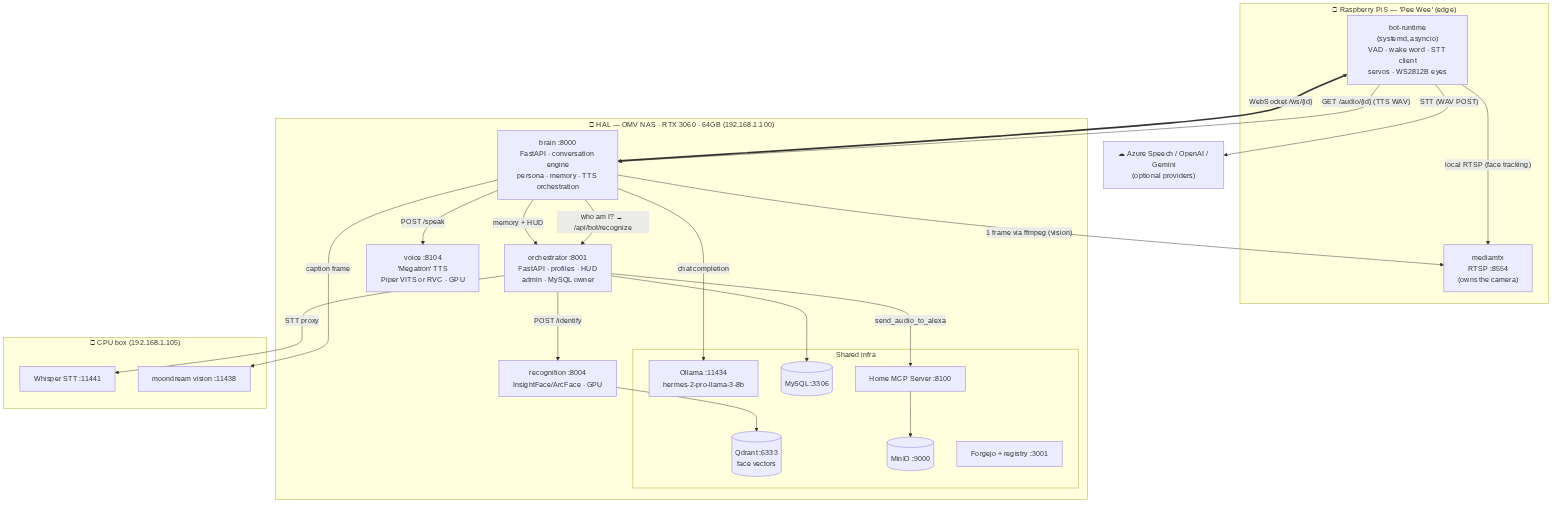
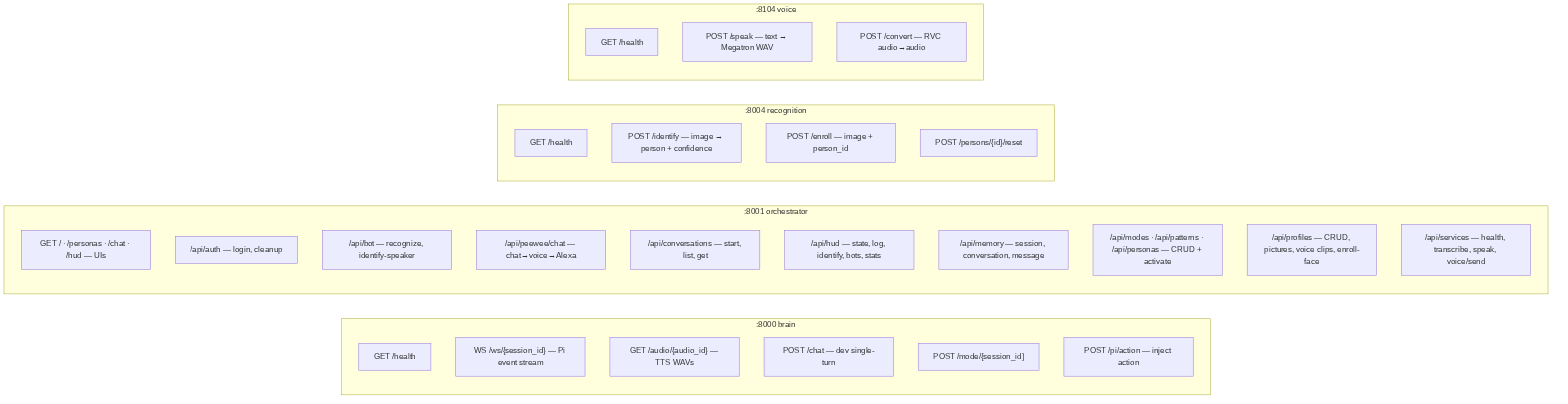
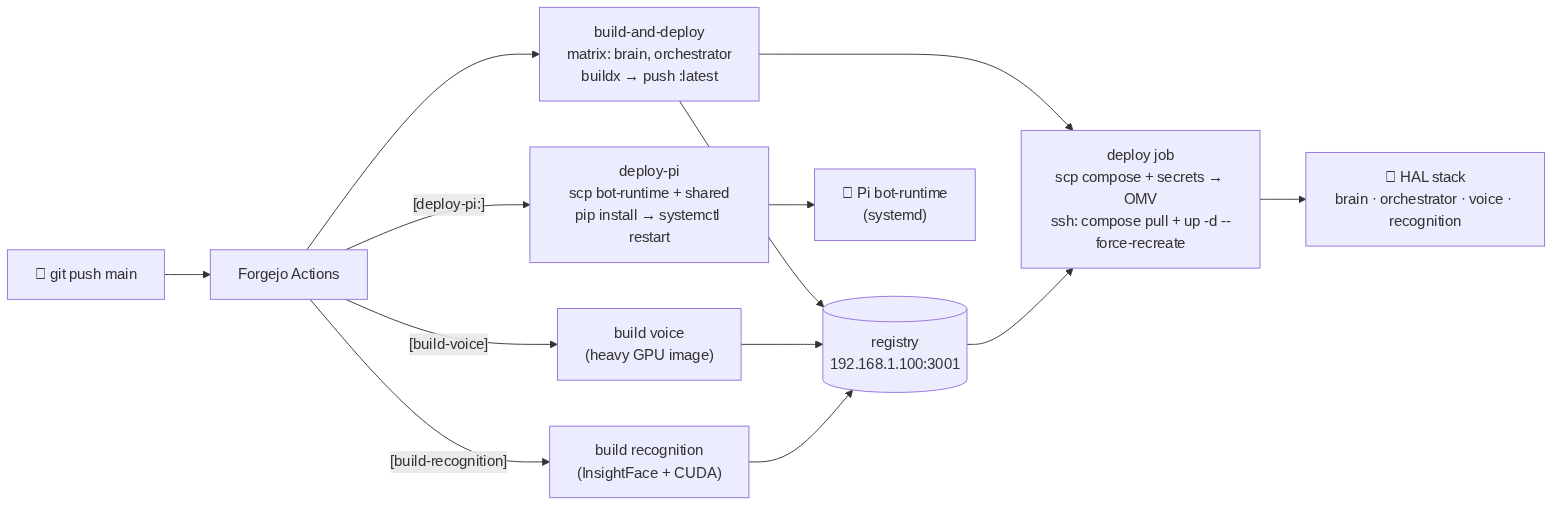
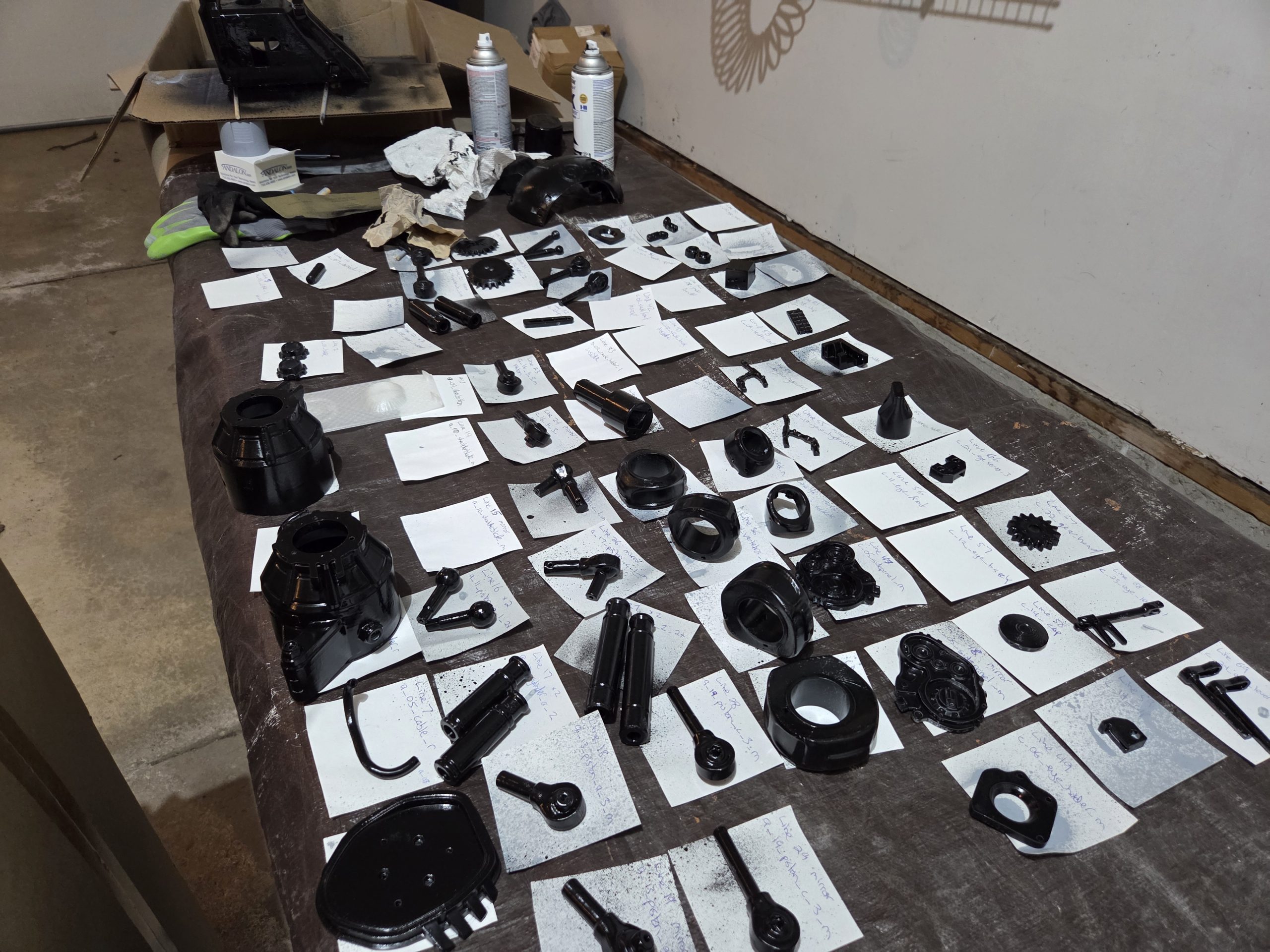
A few weeks ago, I hinted at a project that was nearing completion. Rather, I thought was nearing completion. I had found a t800 model online and decided that I would learn how to 3d print using that model. Start small? Nah, lets just jump in. As if that wasn’t hard enough, I also decided to add in all kinds of things (mic, speakers, 4k video via usb camera, and of course, AI), so I was essentially creating a brand new project. If this project had a subtitle, it would be “putting tiny things into tiny spaces”. What you are seeing in the video below is actually my second attempt at putting this all together. The AI was actually the easier part. Trying to figure out the best places for the myriad of wires, boards, etc was a nightmare.
Before I continue, you may have come across this post because you are also looking to build this bot with all of this functionality. I am a consultant who spends his life every day in AI, not to mention I also spend considerable personal time working in all of these technologies. Despite all of that, I struggled putting all of this together. If you don’t have this kind of background, I highly suggest that you not attempt this. Using AI made these kinds of projects a lot more accessible, but if you don’t understand the environment needed for this project (docker, databases, CI/CD, web sockets, so much more), you’re going to hate yourself for going down this road.
Here are the features:
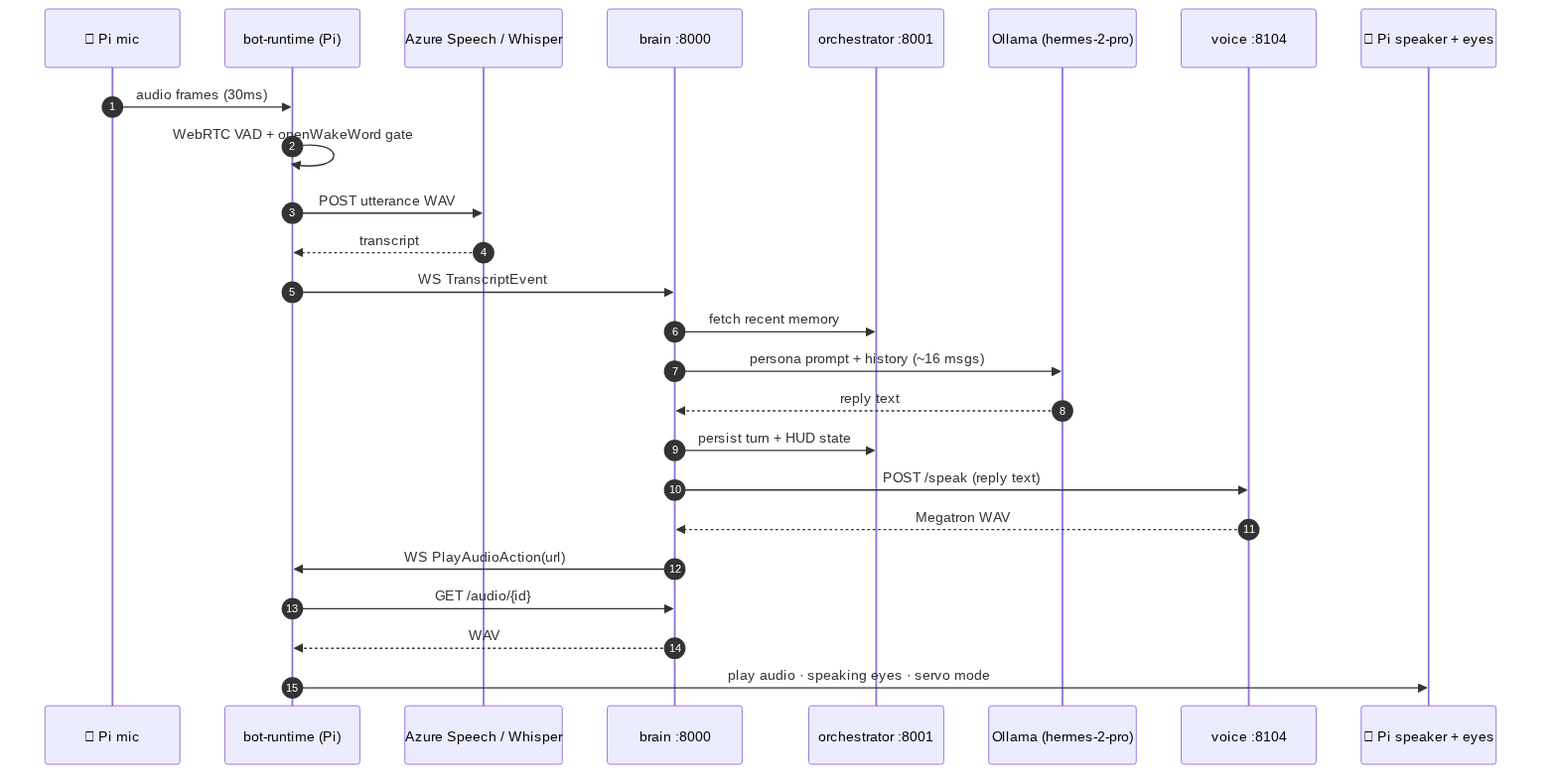
Voice! This includes having a variety of voice options. I had originally wired it into OpenAI’s voice service, but I have since created a voice model for Megatron, the 1980’s cartoon character. That model lives on the raspberry pi.
Voice comprehension. I actually did get this working sufficiently using my Ollama setup on the LAN (which was my ultimate goal).
Thinking. What good is this if you can’t have a conversation with it? The bot has to be able to not only have conversations, but it has to remember the conversation so it has context. This is a core concept in AI. This is working, but I am continuing to fine-tune it.
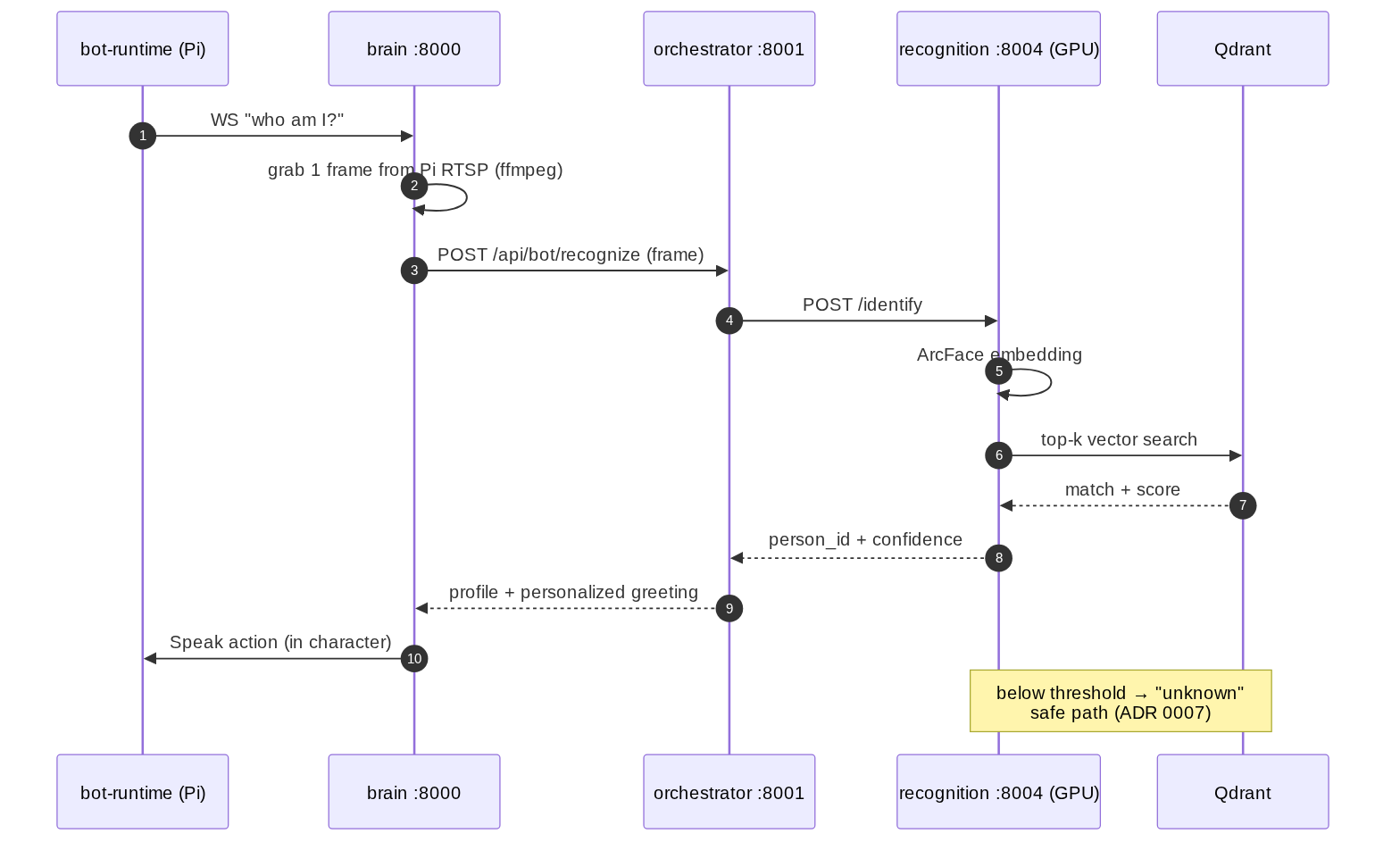
Facial recognition. The project came with a generic python library that does face tracking, but that is NOT the same as recognition. I have this working, but I would like to have it detect people as they come into screen.
Personal profile. If you’re going to do everything that I have already listed, you need a way to bring it all together. Having a profile also allows me to tailor a conversation to the person. For example, I can indicate that the person is a child, neighbor, good friend, etc.
Modes. Some of the ideas that I am working on:
Taunt mode. Back in the day I did a little comedy, and I am still a fan to this day. My thought here is making an “insult bot”. I have played around with mixing AI and comedy — I don’t know that anyone has really played with this idea. Side note: this is where the profiles will come in handy. As a comic, you have to know your audience.
God of War mode. I actually have this piece mostly working. Here is the scene: the bot is sitting in my backyard bar, and that bar has speakers, Alexa, and Hue lights. If someone asks the bot if it is the god of war, I want it to have the mother of maniacal laughs. The lights in the bar start to flash and change colors. A smoke machine hidden underneath the bot starts to generate colored smoke. While the bot has its own voice capability, in this mode he will say “I AM the god of war” over the bar’s speakers via Alexa. I ended up making voice files with a service, sending them to S3 storage, and then sending the URL to Alexa by way of Home Assistant (essentially backdooring Alexa’s limitations for personal users).
I apologize for the audio in the second half of the video. Also, I forgot that I had set PeeWee to “Cranky Teen” mode, which instructs him to be… well, like a teen. As you can see, he tells me that he is bored with the conversation and shakes his head and rolls his eyes accordingly.
I watch a lot of movies and shows, and I write about most of them. For years that meant juggling pieces that never quite talked to each other: a WordPress...
Porting a Rules-Governed Agent to Copilot Studio — What Moved, What Stayed, and What Broke The last article described the permit-review workflow as a standalone application: a rules engine, a...