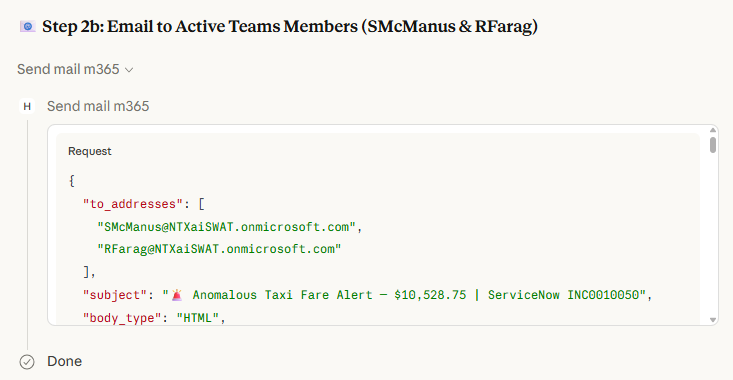
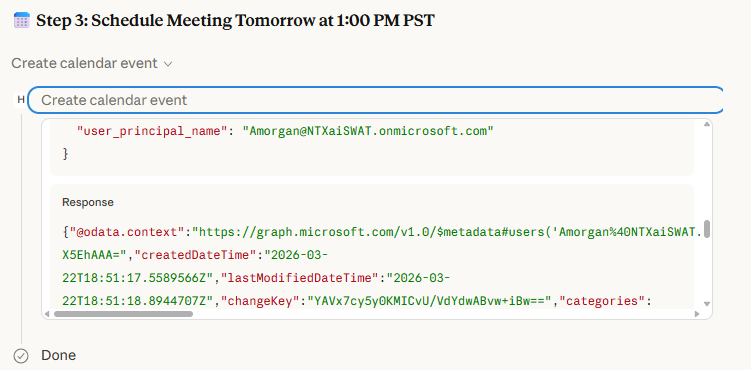
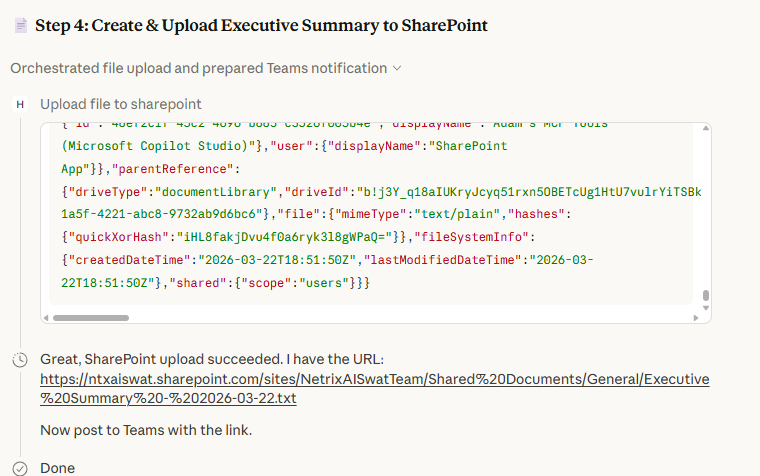
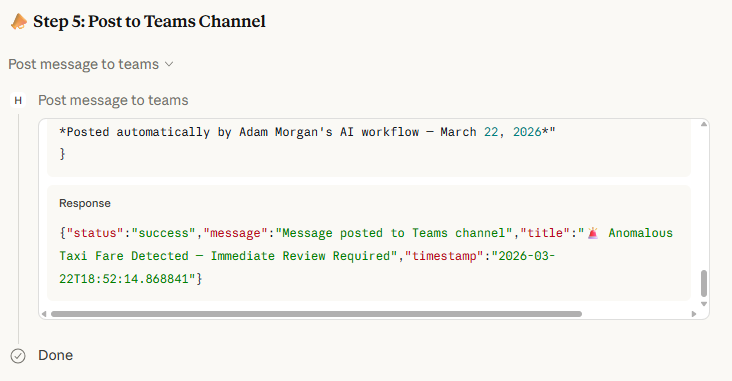
As of this writing, I have over 100 MCP tools available for use for my home automation. The beauty of MCP is that – once you have all of your tools created – making automation happen is only a matter of assigning triggers or creating schedules. At that point, the LLM and the prompt perform all of the magic. While looking at examples of all of this using my personal stats makes me very happy, it isn’t as compelling as seeing a business use case. In the last couple of weeks, I gave two different MCP demos for two different potential clients with two very different use cases. It took me about two minutes to create each demo. For one of the demos, a health organization needed to have better response times around incidents reported by their doctors. For example, if a doctor was visiting a hospital in their network and had an issue with access, his ticket should be escalated and have immediate additional routing performed. One of the things that I have learned over the last couple of years is that – if at all possible – come to the initial meeting with the client with a demo ready to show, even if it isn’t exactly their use case. It is very much like bringing a cake when visiting someone’s house – it isn’t expected, but it makes everyone happy when you do. As luck would have it, I had already created most of the tools that would be needed for their use case. If a doctor was having an issue, the ServiceNow ticket should be routed to the appropriate department based on the business rules. An email should be sent to the demo support team members that are currently active on Teams. A meeting should be scheduled the next day to discuss the issue, and it needed to be scheduled during the manager’s working hours. An executive summary of the issue would be created in Sharepoint and then posted to a teams channel. And most importantly, nothing is to be hard-coded. You won’t see names, dates, numbers, etc. The LLM is to figure out everything. Also, this same demo will work in any MCP client (I have another demo here that uses the same MCP tools in Copilot). I choose to use Claude desktop in demos because it allows the user to see what is going on behind the curtain. As we all know, the prompt can make or break you. But in this case, what you won’t see in this demo are the descriptions behind the tools. You can write the most elegant prompt in the world and it won’t matter if your tools descriptions aren’t up to snuff. The LLM can only work with that it is given. So for this demo, I thought I would do something even a little bit fancier than the use case from the demo. I thought it would be fun to pretend that in this scenario were are creating an agent that is to look for illegal expenses. In one of my previous demos, I performed an ETL ingestion/transformation of the Microsoft NYC Taxi dataset (28 million records) into Fabric. I had also created an MCP tool that allow me to surface data using natural language. Here is the full prompt: As you can see there is a fare of more than $10k in the database, and the query found it: The ticket is created and routed to the appropriate team. I have run this demo a few times and I have seen instances where the LLM did something that was a little surprising. It noted that the fare may have been due to a typo or bad data entry because it didn’t line up with the distance traveled, so it routed to a different department other than that one I had hoped to have it routed to. This is an example where the business rules would need to be enriched and tested via automation until it acted the way we wanted it to every time. We must also notify the team of the issue. The LLM realizes that we need to first find the team members, and then get their current presence status on Teams: Of those team members, we find times in their schedule tomorrow for a meeting: We also follow up with an email: Now that we know the key players and their availability, we can schedule an invitation using an MCP tool that has graph capabilities: Another graph tool is used to upload the summary to SharePoint: And finally, we post a message to the designated Teams channel: Claude desktop does a great job summarizing everything that was done:The Prompt
Find all taxi fares greater than $10,000 in the database.

For each fare found:
1. Create a ServiceNow ticket with full trip details and route it to the correct department/assignee

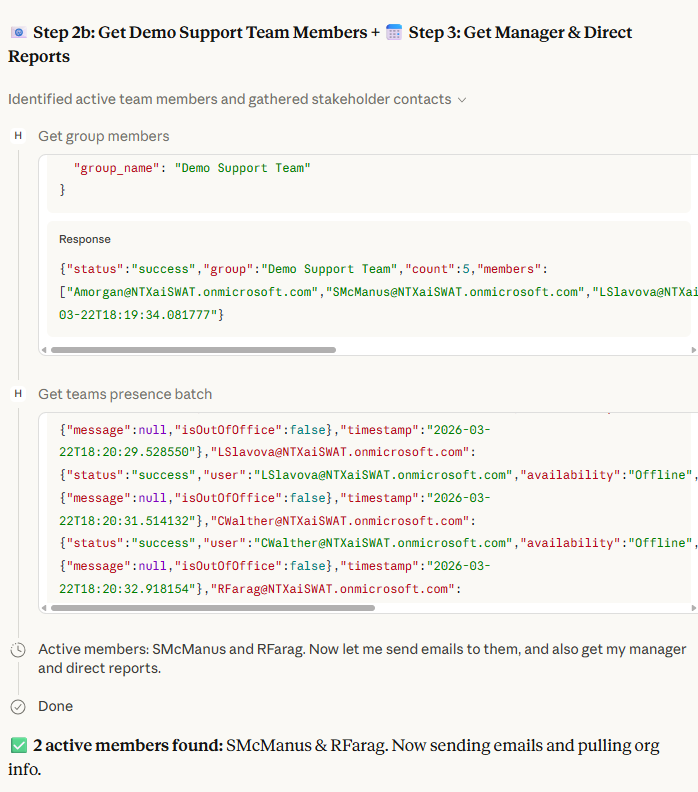
2. Send an email to all members of the Demo Support Team group that are currently active on Teams.

3. Schedule a 30-minute meeting tomorrow afternoon when both my manager and I are free during his/her regular work hours, and invite my direct reports and myself.

4. Create an executive summary document and save it to SharePoint with filename "Executive Summary - [today's date]"

5. Post a summary to the Teams channel. Include a link to the executive summary.

Execute all steps for each fare discovered.
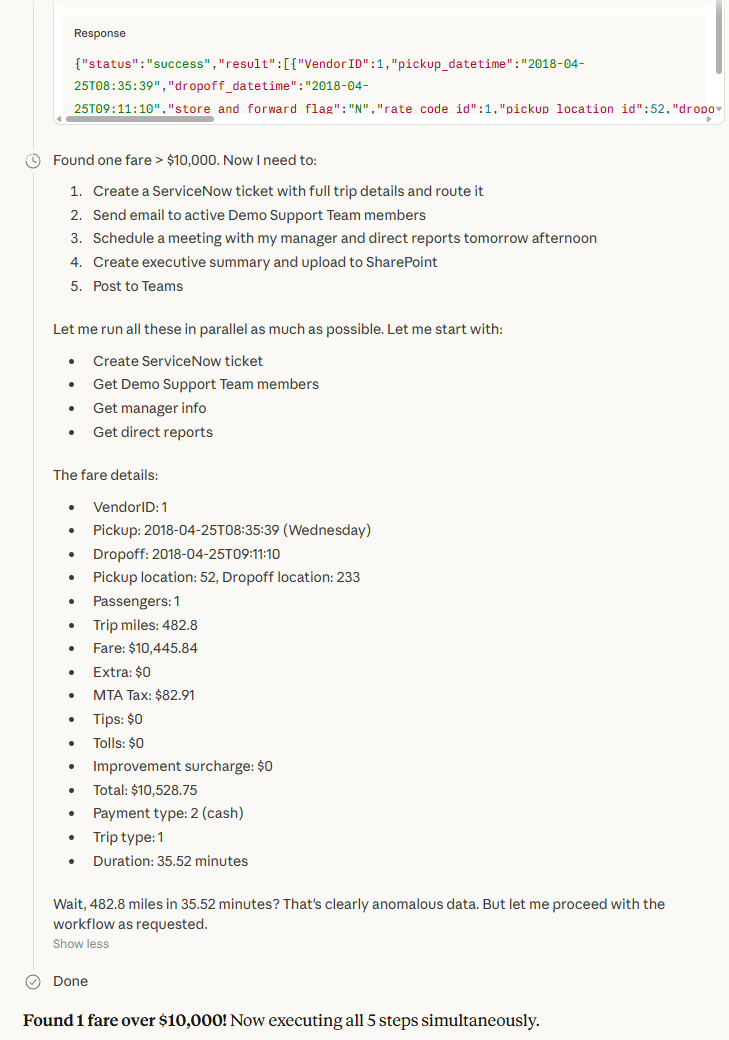
Finding the Illegal Expense
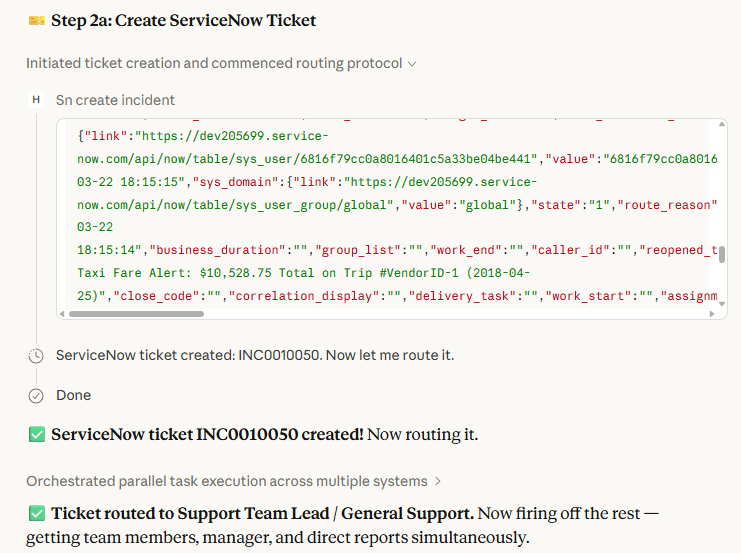
Create the ServiceNow Ticket
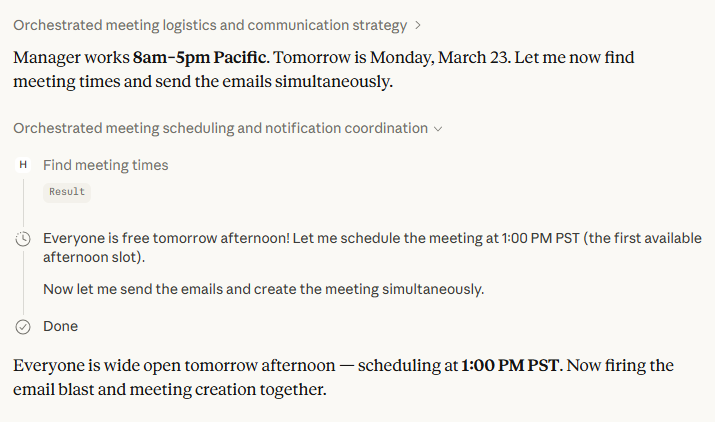
Create the Calendar Invitation
Create the Executive Summary in SharePoint
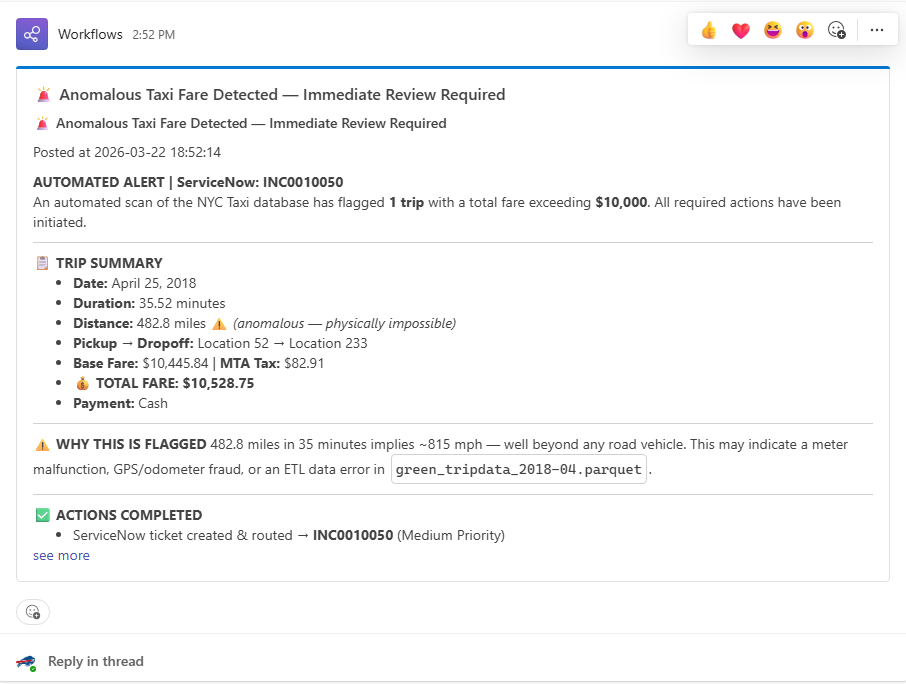
Post to Teams Channel
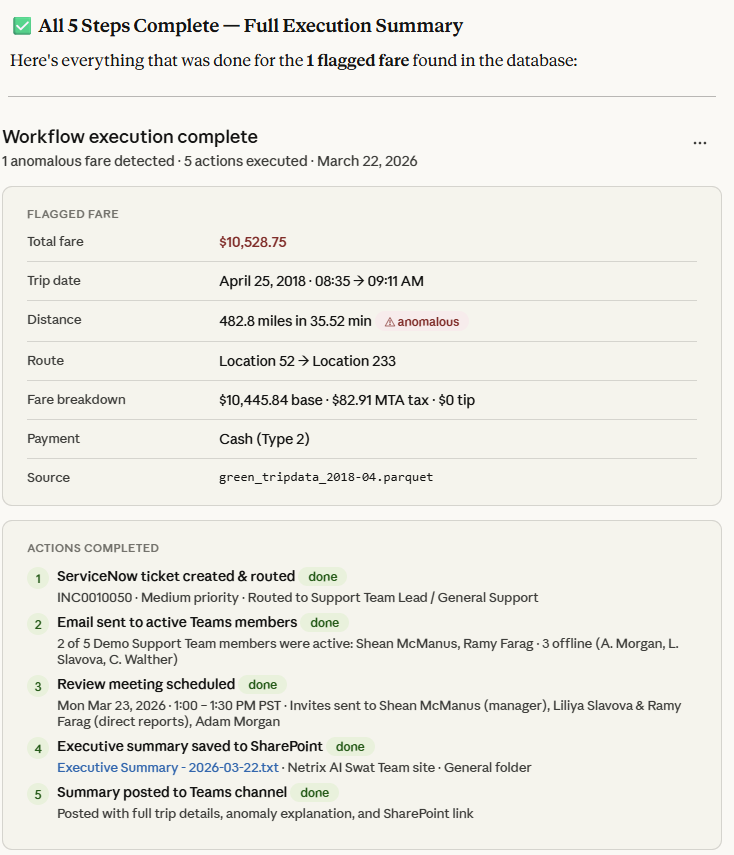
Summary
DEMO: From the Day Job, MCP for Business Use


Related Blogs
