Finally done with training! After taking this course and that course I am finally ready to get out there and do what I love – making stuff. While I love taking courses I have to fight the itch to just start writing code on my own. So after kicking around some potential projects I decided to create a timesheet application inside of SharePoint. In my previous life I was the architect and lead developer of a contractor management application that included a timesheet so I am within my comfort zone here. While making this project I want to continue to make it SharePoint-centric rather than just making a pure React app that just happens to be hosted in SharePoint. Note: The goal of this app is to allow myself to become comfortable making a SP-focused and React-based web part. This is not an ideal design and I would surely have coded it differently if it was done purely in React (as I did here).
Project Repository: https://github.com/adamcodes716/timesheet-app
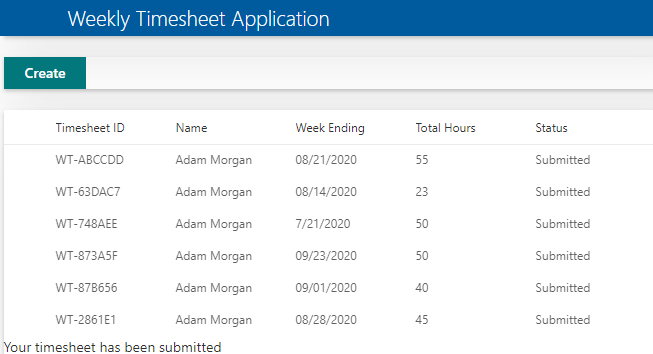
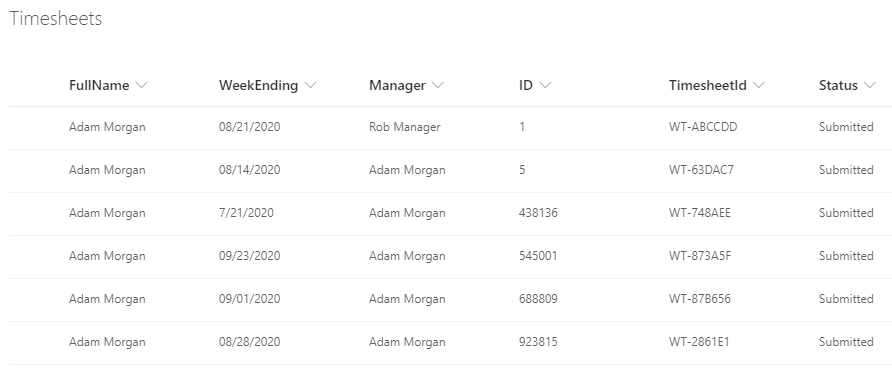
Project Status: 8/25. The basic timesheet with full CRUD is functional (see screen caps below). I didn’t go quite as far with this as I had originally planned. The reason for this is that because I wanted to make this focused on SharePoint I felt that I was starting to spend more time than I wanted to learning SP. I got to the point where making a React-based web part was comfortable and that seems good enough for now seeing as my next job probably won’t be in SP. So with that, I am heading back to making pure React applications.
Project Goals:
- Create a web part that utilizes React. At this point I haven’t decided if the application will full page or available to be embedded on a page with other web parts. COMPLETE
- Utilize office fabric for style. As I said earlier I want to keep this as authentic as possible so it makes sense to utilize the style tools on the platform rather than using the style that I have in my personal React starter template. COMPLETE
- Create a real timesheet that allows the user to enter hours for a given week. The user can then edit or delete the timesheet depending on the status of the timesheet in the workflow. COMPLETE